
Why Choose Remote Gates for Your Business?
A business entrance should do more than open and close. It should help staff, customers, and deliveries move safely, without making every arrival a manual task. Remote Gates can provide that convenience through controlled opening, scheduled access, and monitoring from a suitable device. The right setup depends on the site: a compact office driveway has different needs from a busy warehouse entrance.
Security technologist Bruce Schneier’s reminder, “Security is a process, not a product,” offers a useful lens for evaluating remote access. His statement concerns security broadly, not gates specifically. Still, it highlights an important point: equipment alone cannot replace thoughtful setup, regular checks, and clear access procedures. A manager should consider who can operate the gate, what happens during a power outage, and whether the system suits daily traffic. Small details matter. A delivery driver waiting in the rain is a real test of convenience.
Remote Gates may reduce routine interruptions and help teams manage entry from a distance. They are not a cure-all. Poor placement, unreliable connectivity, or unclear staff training can undermine the benefits. Even a well-designed system needs maintenance. This guide examines the practical reasons businesses choose remote gates, the features worth comparing, and the limitations to consider before investing. The best choice is not always the most advanced one; sometimes a simpler system is easier to manage. That deserves a second look.
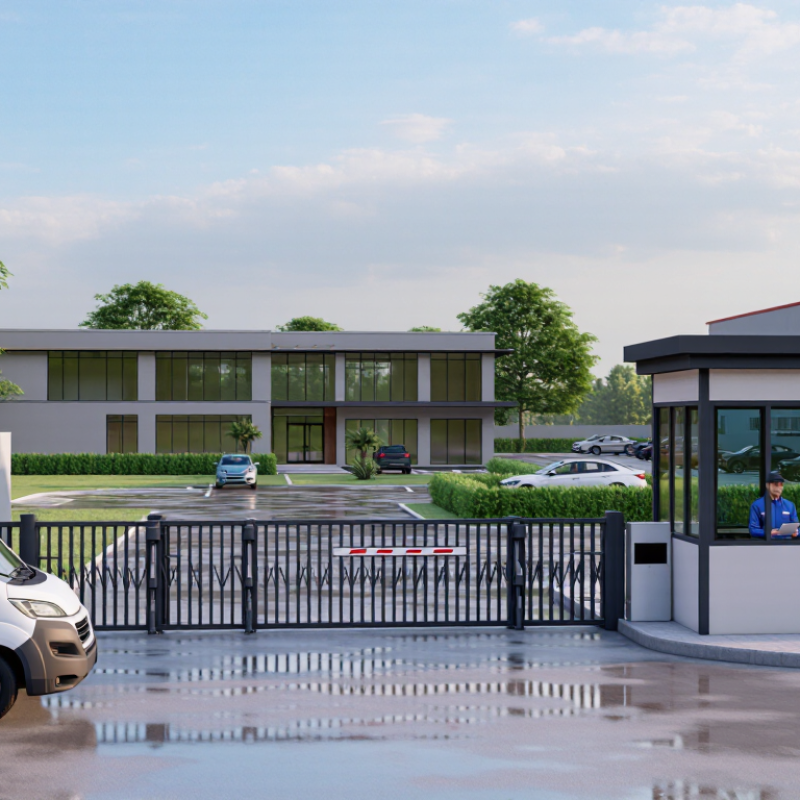
What Remote Gates Are and How They Work
A remote gate is a powered barrier operated without someone standing beside it.
An authorized driver may use a keypad, card reader, intercom, or mobile credential. The request reaches a control panel, which checks permission and activates a motor or hydraulic arm. The gate then opens, while safety sensors watch for vehicles or people in its path.
Simple in principle. The details matter.
At a warehouse entrance, for example, a driver can request access while staff verify the visitor through an intercom. Vehicle loops or photoelectric sensors can help detect movement and prevent the barrier from closing at the wrong moment.
NHTSA’s 2023 traffic safety estimate counted 40,901 roadway deaths in the United States; this figure is not gate-specific, but it underscores why vehicle movement needs careful management. A remote gate can organize entry, not guarantee safety.
It still needs suitable sensors, routine inspection, and a clear manual-release procedure. UL 325, an industry safety standard for door and gate operators, addresses entrapment protection and operator safety.
The weak point is often mundane: a shifted sensor, a worn hinge, or an access list nobody has reviewed. I’d treat those checks as part of the system, not optional maintenance.
Key Types of Remote Gates for Commercial Properties
Commercial properties commonly use sliding gates, swing gates, and barrier arms, each suited to different site conditions. Sliding gates travel sideways along a fence line, making them useful where a vehicle queue leaves little room for a gate to swing inward. They need a clear path and a suitable track or cantilever system. Leaves, gravel, and uneven ground can interfere with operation.
Swing gates open like doors and can suit smaller entrances with level ground and enough clearance. A delivery truck parked too close may block their movement. Barrier arms lift vertically, so they work well at parking entrances where vehicles pass one at a time. They control access, but do not provide the same physical barrier as a full gate. Space matters.
Remote operation can be paired with access controls such as keypads, card readers, or monitored intercoms. The right combination depends on traffic volume, vehicle size, power availability, and how staff manage visitors. A busy loading yard may need a different setup from a quiet office lot. Site measurements and a review by a qualified gate professional can help identify clearance, drainage, and safety concerns. One detail is easy to overlook: remote convenience does not remove the need for routine inspection and a clear plan for power interruptions.
How Remote Gates Improve Business Security and Access
A remote gate lets staff manage entry from an office, vehicle, or approved mobile device. That matters when a delivery van arrives before the site manager reaches the entrance. Instead of leaving the gate open, staff can verify the visitor, release access, and monitor the entrance camera. Clear sightlines also help operators identify vehicles before opening the gate.
Not a magic fix.
Remote access supports consistent permissions. A business can issue individual credentials, set access hours, and remove access when roles change. If the system keeps event records, managers can review who entered and when. These records may help clarify an incident or understand routine traffic patterns. But logs are useful only when credentials stay private and records are checked.
Remote gates can reduce unnecessary trips across a large site, especially for staff handling after-hours deliveries. They also create a controlled entry point for visitors, contractors, and employees. Reliability depends on practical safeguards: sensors should detect obstructions, and backup power or a manual release can matter during outages. Regular testing is easy to postpone; that weakness is worth admitting. Poor camera angles or unclear procedures can still leave gaps.
Operational Benefits for Staff, Visitors, and Deliveries
Remote gates help staff manage arrivals without leaving a reception desk or walking across a site. A camera and two-way intercom let them check a visitor’s name, purpose, and destination before opening the entrance. That small pause can prevent interruptions and give reception teams a clearer arrival record. Visitors get a direct point of contact, rather than waiting beside a locked gate. The system is not magic, though: poor camera angles or a weak connection can slow everyone down.
Deliveries benefit from predictable access, especially when drivers arrive during busy shift changes. The U.S. Census Bureau reported that U.S. e-commerce sales reached $1.1187 trillion in 2023, or 15.4% of total retail sales. That figure reflects a large delivery ecosystem, not a guarantee that any one site needs remote access. Still, clear instructions, scheduled entry windows, and a logged gate release can reduce missed handoffs. Keep a manual fallback; technology occasionally fails at the worst moment.
Tips: Put delivery instructions where drivers can read them before reaching the gate. Test the intercom during a busy hour, not just in a quiet office. Review access logs regularly, and remove permissions people no longer need.
Factors to Consider When Choosing a Remote Gate System
Why Choose Remote Gates for Your Business?
Factors to Consider When Choosing a Remote Gate System
A remote gate can reduce routine interruptions at a warehouse, office, or private parking area. Choosing one takes more than comparing opening speeds. Start with daily traffic: a small clinic may see steady visitor turnover, while a storage yard may have brief rushes at shift changes. Count vehicles and note delivery sizes. A narrow entrance can become a bottleneck, even with a fast motor.
Match the gate style and operator to the site. Sliding gates need clear side space and a firm track; swing gates need room to move without striking parked vehicles. Space matters. Check wind exposure, slope, drainage, and winter debris. These details are easy to overlook, but they often cause trouble later. Ask an installer to assess the actual opening, not just a photo.
Access control and safety deserve equal attention. Consider how staff, contractors, and visitors will receive access, and how credentials can be removed when someone leaves. Sensors, clear sightlines, and manual release options matter during power loss or equipment faults. Plan for outages. Confirm backup power expectations and who handles repairs. No system is maintenance-free. Keep a simple inspection schedule for hinges, tracks, sensors, and batteries. The cheapest option may still cost more in downtime; honestly, projecting that cost is not always straightforward. That’s worth discussing before purchase.
| Factor | What to Assess | Options and Practical Considerations | Best Suited For |
|---|---|---|---|
| Access Control | How employees, visitors, deliveries, and contractors will request entry. | Remote controls, keypad entry, intercoms, card or mobile credentials can be used individually or together. Choose controls that match your access policies and user needs. | Businesses that need to manage entry by user, time, or access level. |
| Gate Type and Site Layout | Available space, ground conditions, driveway slope, and the gate’s opening path. | Swing gates need room to open and a suitable, relatively level path. Sliding gates need lateral space alongside the entrance and a suitable track or cantilever arrangement. | Sites where the gate design can be matched to the entrance geometry and available clearance. |
| Traffic Volume | Expected opening frequency, peak periods, and the number of vehicles entering at once. | Confirm that the gate operator is rated for the expected duty cycle and that entry and exit arrangements can handle busy periods without creating queues. | Warehouses, business parks, and other sites with regular vehicle movements. |
| Security Requirements | Perimeter risk, credential management, visitor verification, and audit needs. | Look for suitable access permissions and ways to remove or change credentials when users leave. Remote operation does not replace perimeter security or good access procedures. | Businesses that need controlled vehicle access or a record of access events. |
| Safety and Compliance | Pedestrian routes, vehicle visibility, pinch points, and local safety requirements. | Consider appropriate safety devices, such as photocells or safety edges, where required by the gate design and applicable rules. Have the system assessed and installed by a qualified professional. | Any site where vehicles, staff, visitors, or the public may be near the gate. |
| Power and Connectivity | Availability of mains power, network coverage, and the effect of outages. | Some systems use wired controls; connected features may depend on network or cellular service. Ask how the gate can be operated safely during a power or communications failure. | Sites that need remote monitoring or operation, especially where reliable connectivity is available. |
| Installation and Site Preparation | Foundations, drainage, cabling, existing fencing, and access during installation. | Installation requirements vary by gate type and site. A site survey can identify civil works, electrical work, and changes needed before installation. | Businesses planning a new entrance or upgrading an existing gate. |
| Maintenance and Reliability | Inspection frequency, spare parts, service availability, and the consequences of downtime. | Gate hardware and safety devices need periodic inspection and maintenance. Agree on a maintenance plan and response arrangements appropriate to site usage. | Sites where a gate failure could interrupt deliveries, operations, or site security. |
| Total Cost of Ownership | Purchase, installation, access-control equipment, energy use, servicing, and future upgrades. | Compare the full expected cost over the system’s service life rather than equipment price alone. Site preparation and ongoing servicing can affect the overall budget. | Businesses comparing system designs or planning a long-term facility investment. |
| Future Expansion | Potential changes in staffing, vehicle volume, entrances, and access policies. | Check whether the access-control system can accommodate additional users or compatible entry devices, and whether capacity can be expanded without replacing the whole setup. | Growing businesses or sites with changing access requirements. |
